
Mixing on headphones has a bad reputation, but why exactly? Too much stereo width, no feel for real room acoustics, bass decisions that go sideways. Those are the classic complaints every experienced engineer has heard at some point. And yet we all end up wearing headphones at some point, on a laptop, on a train, late at night in the studio when the neighbors want to sleep. With the LEWITT LW6 and its bundled Space Replicator Essential plugin, I found myself asking the question again: does mixing on headphones actually make sense, or are we just telling ourselves a comfortable story? The answer is more nuanced than either side of that debate usually admits.
What You Need to Know Before Mixing on Headphones
- Mixing on headphones has real weaknesses, but also real strengths speakers can’t offer
- Room simulation, like what Space Replicator Essential provides, closes the biggest gap between both worlds
- Constantly adjusting your EQ during mixing is usually the wrong move
- Different sound profiles pay off most as a cross-check after the mix is already done
- Ideas produced on the go should always get a critical re-listen in the studio on monitors
Mixing on Headphones: Everything You Need to Know About Room Simulation, EQ, and the LEWITT LW6
The Bad Reputation of Headphone Mixing, and Why It’s Not Entirely Fair Anymore
The criticism of mixing on headphones isn’t pulled out of thin air. Headphones sit right against your ears, no room in between to shape the sound. That produces a stereo width that often feels exaggerated once you hear the same mix on speakers, because in a real room your ears naturally blend both channels a bit, an effect audio engineers call crosstalk. Headphones don’t give you any of that natural bleed, each ear gets its own signal completely isolated, with zero acoustic mixing between the two. The result: panning decisions, stereo effects, and wide reverbs often feel way more extreme on headphones than they actually turn out to be in the room.
Then there’s the missing reference to room modes, those frequency-dependent buildups and cancellations every real room produces. In a typical home studio, standing waves build up especially in the bass range between 40 and 120 Hz, boosting certain frequencies and canceling others out depending on where you’re sitting. Anyone working exclusively on headphones loses that knowledge of their own room acoustics, and ends up making bass calls that sound surprisingly different once they hit the control room.
And yet a ton of producers, myself included, keep working on headphones anyway. Not out of laziness, but because certain situations simply don’t leave you another option. A train doesn’t come with studio monitors, unfortunately. Neither does a late-night idea in your living room. The real question isn’t whether you should work on headphones, it’s how you do it without lying to yourself in the process.
The Strengths Headphones Have Over Studio Monitors
As unfair as the headphone-bashing gets sometimes, there are genuine advantages here. Headphones also mean no coloration from poorly treated room acoustics, no neighbors complaining, and a surprisingly high level of detail resolution even at low volume. Small mix mistakes especially, a click in a sample, background noise, a rough transition, tend to jump out on headphones faster than on monitors, because nothing gets lost to the room along the way.
In my own practice, I lean on that directly. Most of my day-to-day work happens on studio monitors, sometimes even switching between a couple of different pairs, but during final mixing and mastering I always cross-check on headphones too, sometimes across several different models back to back. That change in perspective catches problems that simply get lost on monitors. And that matters a lot, at least for me.
Room Simulation as the Bridge Between Headphones and the Control Room
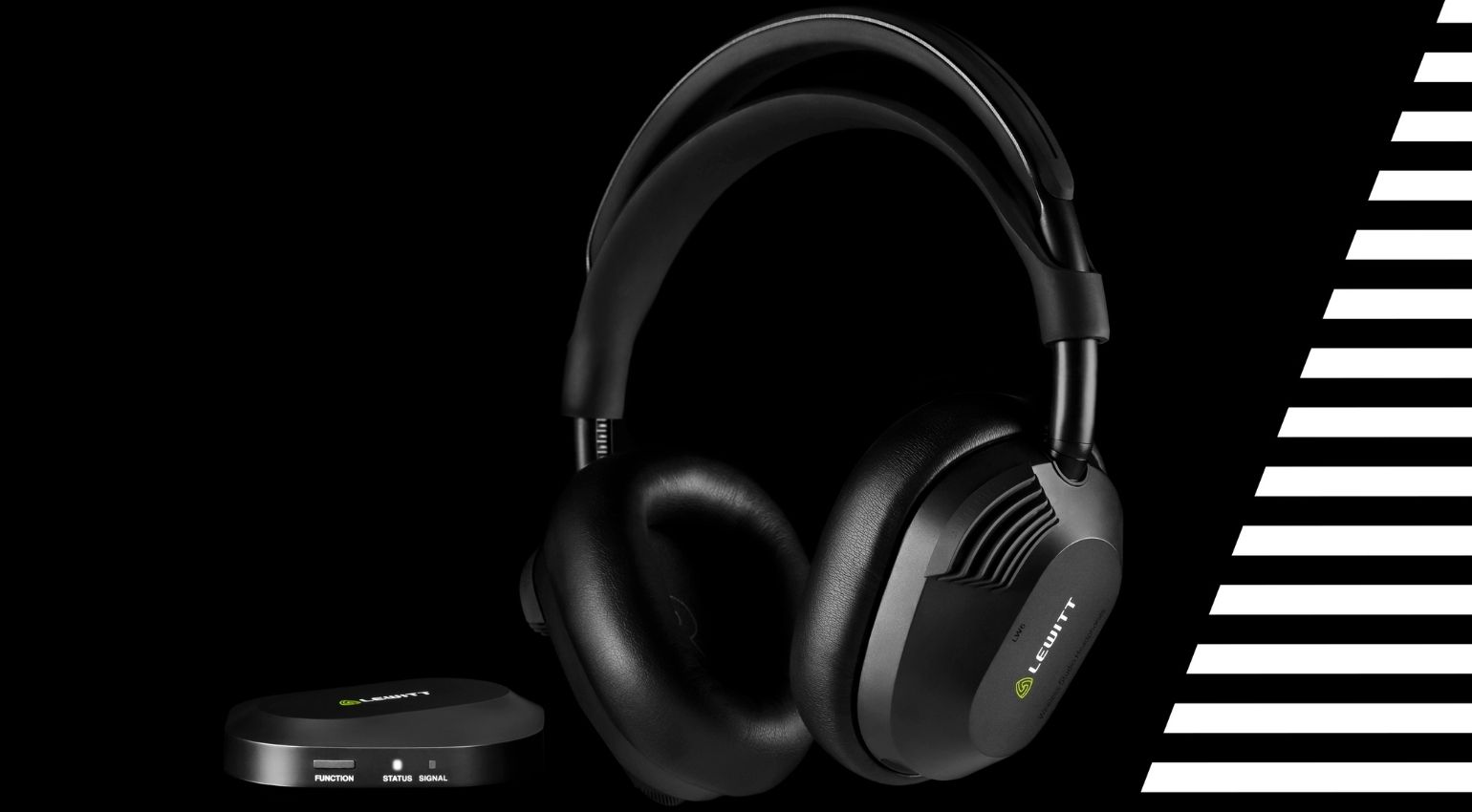
This is exactly where room simulation comes in, and it’s exactly what LEWITT built with the Space Replicator Essential plugin bundled with the manufacturer’s new LW6 headphones. The idea: instead of just slapping an EQ curve over the signal, the plugin simulates real, acoustically measured spaces, from high-end mixing studios to clubs to the inside of a car, directly on your headphones. Pretty cool, right? You’re no longer just hearing your headphones, you’re hearing an approximation of how the mix would actually land in a specific, real listening environment.


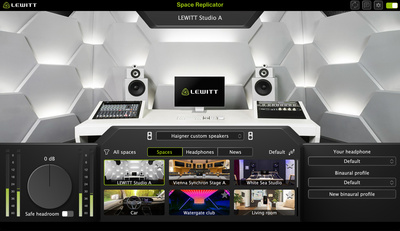
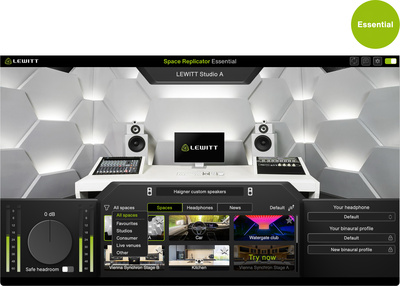
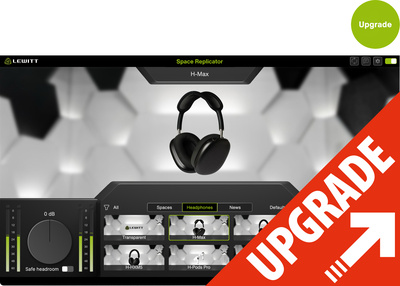
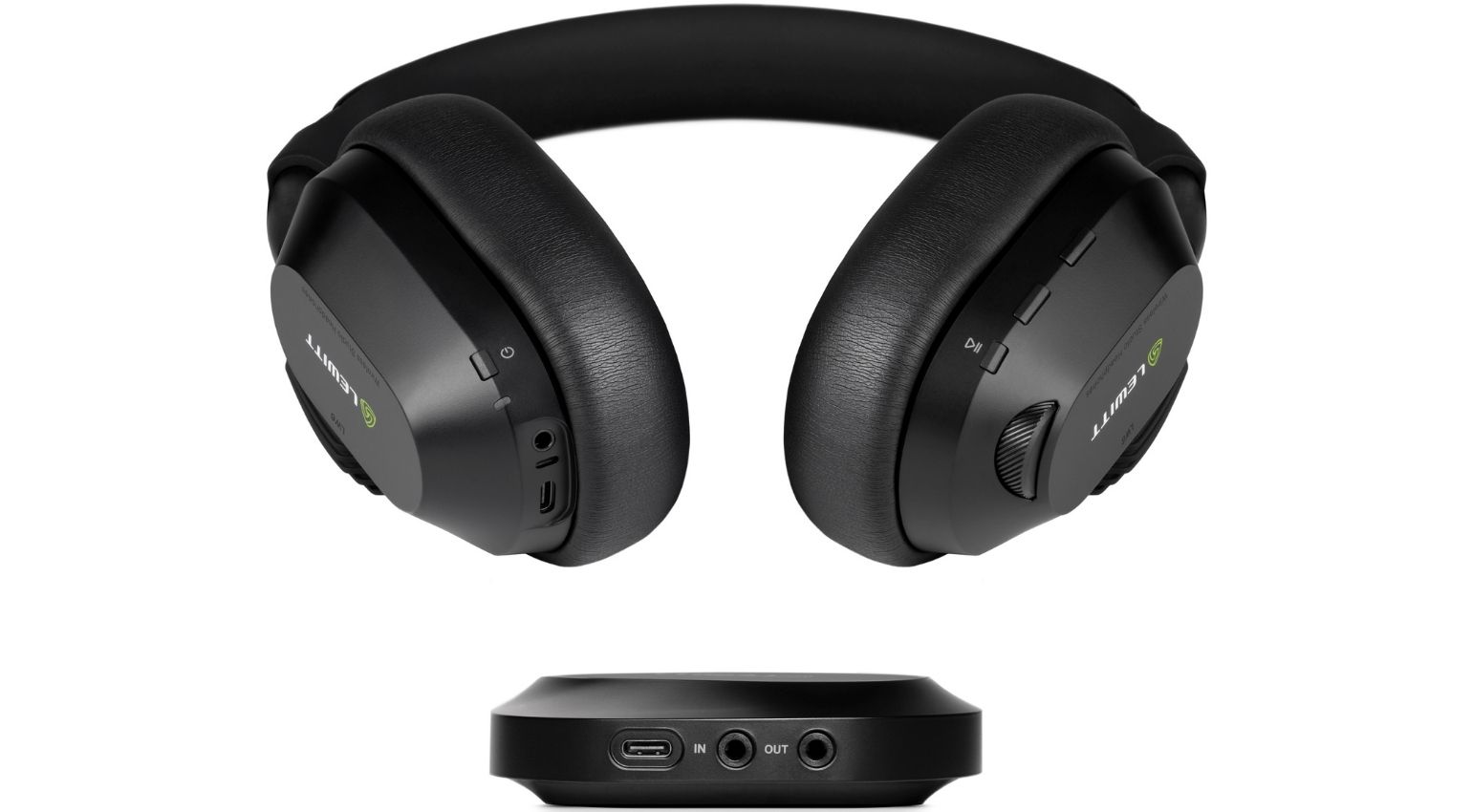

That’s a fundamentally different approach from classic EQ tweaking. An equalizer only changes the frequency response. A room simulation changes the entire acoustic relationship, including how low frequencies build up in a space, how reflections affect stereo width, and how the signal actually feels at your ears. For mix translation checks, hearing how a finished mix holds up across different environments, this is a genuine tool, not a cheap gimmick.
Here’s specifically how I use Space Replicator in practice: once a mix is locked in on my monitors, I load it into the simulated environment of a typical club system and a car interior as well. Both environments handle bass completely differently than my control room, a club physically pressurizes low end into the space, while a car cabin amplifies certain bass ranges and low mids hard because of the sealed cabin. If the bass holds up reasonably well across both simulations, that’s a strong signal for me that the mix will translate outside my own studio.
Why I Intentionally Leave My EQ Untouched While Mixing on Headphones
Here’s the part that’s probably going to surprise some people. I don’t touch my headphone EQ during the actual mixing process, ever, on purpose. I’ve spent years getting used to my key headphones, and my brain compensates for their tonal character remarkably well at this point. That’s actually the real trick to mixing on headphones: don’t keep chasing knobs, get to know one reference so well that your brain automatically factors in its coloration. The exact same logic applies to studio monitors, by the way, just as much.
If you keep flipping between EQ profiles while mixing, you lose that hard-earned reference all over again. At that point you’re not chasing the mix anymore, you’re chasing your own headphone’s shifting tonal color. This is one of the most common mistakes I see with beginners, they get uncertain and start twisting the curve instead of trusting the reference they’ve already trained their ears on.
Testing Different Sound Profiles, But Only After the Mix Is Done
None of that means different sound profiles are useless though. I just deploy them at a different point in the process, specifically once I’m actually done with the mix and want to check how it holds up in other listening environments. The LEWITT LW6 has a 5-band EQ you can save directly on the device for that, letting you build your own sound profiles, combined with Virtual Studio Monitors and Space Replicator Essential for the full room simulation treatment.
Here’s how that plays out for me in practice: the mix itself gets built on one constant, well-trained reference. Only after that do I flip through other profiles or simulated spaces, testing whether those decisions still hold up outside my usual listening setup. That’s a verification step, not a creative one.
My Workflow: Monitors, the LW6, and Mixing on Headphones on the Road
My actual day-to-day work happens almost entirely on studio monitors. Headphones, the LW6 currently, especially given the wireless freedom it offers, come into play for me in two main situations: as a final cross-check during mixing and mastering, and on the road, when monitors simply aren’t an option. That second situation is where the stakes are highest too. On the road, I need to trust the headphones completely, because there’s no second reference to fall back on.
And that’s exactly where the biggest risk of mixing on headphones shows up. I’ve lived through this myself plenty of times: producing something after a long day or while traveling, only to hear it back in the studio later and find it sounds completely warped. That almost always happens when you get too lost in your own sound and lose sight of the overall tonal balance, especially when you’re tired or racing a deadline. The headphones themselves are rarely the actual problem, your own focus is.
My practical advice out of that experience: treat anything made on headphones while traveling as a draft, never as a finished decision. Back in the studio, always cross-check on monitors before anything gets finalized. That feedback loop between both worlds is exactly what separates a mix that works everywhere from one that only sounded good on the train.
A practical tip from my own workflow: if you produce on the road and want to avoid nasty surprises back in the studio, build a habit of re-listening to the track fresh and rested the next day, instead of locking in a mix decision right after you finished producing. In my experience, fatigue and the tunnel vision that sets in after hours inside the same track are a bigger risk factor than the headphones themselves.
Why Different Headphone Designs Help When Cross-Checking
I mentioned this earlier: when cross-checking and mixing on headphones, I sometimes run several models in parallel rather than sticking to one device. The reason is simple, every design comes with its own tradeoff. Closed-back models like the LW6 isolate well against outside noise and typically deliver punchier bass, since the sound stays sealed inside the earcup. Open-back headphones, meanwhile, often sound airier and more natural up top, but give up isolation and bass precision in return.
If a mix holds up consistently across multiple, differently built headphones, that’s a far more reliable signal for me than one good impression on a single device. That’s also exactly why I think it’s notable that LEWITT set out with the LW6 to achieve an open, transparent tonal character despite the closed-back design. For a headphone mixing workflow, that means part of that typical design tradeoff gets softened right from the start.
Mono Checks and Bass Decisions While Mixing on Headphones
One tool that’s traditionally been hard to access while mixing on headphones is the mono check. On monitors, one button press on your interface or console gets you there. On headphones, you usually needed a separate plugin in your DAW for the same thing. The LEWITT LW6 builds that in directly as an Advanced Monitoring function, mono, side-stereo, side-mono, and left-right swap all switch right on the headphones, independent of whatever software you’ve got running. Nice touch.
Here’s why that matters so much for mixing on headphones specifically: since headphones already tend to exaggerate stereo width, a quick mono check is the easiest way to catch phase problems and unbalanced panning decisions that hide inside the stereo image but suddenly jump out in mono. I run this routinely now, right after the first rough balance pass on a mix, to catch early on whether anything is canceling itself out.
The same logic applies to bass decisions. Because headphones deliver bass very close and very directly to your ear canal, without the chest-level body feel you get standing in front of studio monitors, it’s easy to overestimate how much actual bass energy is sitting in the signal on headphones. The LW6’s K-weighted level metering, built primarily for mastering and broadcast work, helps here too, giving you an objective number to anchor against instead of relying purely on subjective impression.
Virtual Studio Monitors as a Daily Shortcut
Alongside Space Replicator Essential, the LW6 also packs in a second, smaller built-in room simulation called Virtual Studio Monitors. The difference: while Space Replicator recreates specific, measured real spaces, Virtual Studio Monitors simulates a generic, acoustically well-treated mixing room with cleanly positioned speakers, more of a quick default option without much to choose from.
For everyday use, that’s a genuinely handy shortcut. I’ve mapped this function to one of the LW6’s two custom buttons, so I can switch between normal headphone sound and the simulated monitor situation with a single click, without ever opening any software. Especially on the road, when I just want a quick sanity check on whether an idea fundamentally works, that’s often already enough before I run the full Space Replicator workflow back in the studio.
The Limits of Mixing on Headphones
As much as room simulation and a thoughtfully designed piece of gear like the LW6 help, they don’t fully replace real studio monitors in an acoustically treated room. For the final bass call on a master, or the last word on stereo width in a complex production, the control room remains the more reliable reference, if only because you actually feel low frequencies physically there, not just hear them. Headphones, even the best ones, are an extremely strong companion tool, not a full replacement.
One more thing I keep noticing in practice while mixing on headphones: these tiny “monitors on your ears” also mask volume mistakes more easily, because you can nudge the overall level so finely and quickly with the volume wheel that you end up misjudging the track’s actual loudness state. That’s exactly what the LW6’s Loudness Guard is built for, warning you automatically once you cross a defined threshold, before you get used to a track that’s too loud on headphones and lose track of its real dynamics.
My Verdict: How Mixing on Headphones Actually Makes Sense
This combination of both, a constant headphone reference during the actual mixing, room simulation as a cross-check afterward, and monitors as the final word, is what actually makes mixing on headphones work for me.
One last practical point that often gets overlooked: reference tracks help even more on headphones than they do on monitors. Playing a professionally mixed song from your own genre through the same headphones lets your brain automatically calibrate its own reference against a known sonic standard. That doesn’t replace the trained experience you’ve built with your own gear, but it’s a genuinely useful supplement, especially when you’re working on the road without a second opinion in the room.
FAQ: Common Questions About Mixing on Headphones
Is mixing on headphones fundamentally bad?
No, but it comes with its own challenges, mainly an often exaggerated stereo width and a missing reference to real room acoustics. With the right approach, it’s still very workable.
Should I constantly adjust my headphone EQ while mixing on headphones?
Generally not. It’s better to get used to one consistent headphone as your reference and mentally account for its tonal character, rather than constantly switching between sound profiles.
What’s the point of different sound profiles and room simulations then?
Mainly for cross-checking once the actual mix is already locked in. They show whether a decision still holds up outside your usual listening setup.
What exactly does Space Replicator Essential do?
The plugin simulates acoustically measured real spaces, like mixing studios, clubs, or car interiors, directly on your headphones, going well beyond classic EQ tweaking.
Can I master on headphones too?
As a cross-check, absolutely. As your sole reference, not really. For the final bass and stereo-width call, an acoustically treated control room with studio monitors remains the more reliable choice.
Why do ideas produced on headphones often sound different in the studio?
Usually because you get too lost in your own sound while traveling or working late, and lose sight of the tonal balance. The headphones themselves are rarely the real problem.
How often should I switch between monitors and headphones?
There’s no hard rule, but by the time you’re finalizing a mix or master, a cross-check on headphones is always worth doing, ideally across more than one model.
What’s the biggest beginner mistake with headphone mixing?
Constantly fiddling with EQ or sound profiles out of uncertainty, instead of taking the time to learn your own headphones as a reliable reference. That patience pays off in every mix in the end.
Why do you use multiple headphone models for cross-checking?
Every design, closed or open, carries its own sonic tradeoff. If a mix holds up consistently across several differently built models, that’s a far more reliable signal than one good impression on a single device.
What’s the benefit of a mono check when mixing on headphones?
Since headphones tend to exaggerate stereo width, a quick switch to mono reveals phase problems and unbalanced panning decisions that otherwise hide inside the full stereo image.
How do Virtual Studio Monitors and Space Replicator Essential differ?
Virtual Studio Monitors simulates a generic, acoustically well-treated mixing room as a quick default option right on the headphones. Space Replicator Essential goes further, recreating specific, real measured spaces, from studios to clubs to car interiors.
More Information on Mixing on Headphones
*Note: This article “Mixing on Headphones: Does It Really Make Sense?” was sponsored by Lewitt. It also contains affiliate links that help us keep Gearnews running. The price for you always stays the same! If you buy something through these links, we receive a small commission. Thanks for your support!
The post Mixing on Headphones: Does It Actually Make Sense? appeared first on gearnews.com.