
Arturia’s deliciously good MiniFreak has had a growth spurt, but is the MiniFreak 49 what we were hoping for?
When Arturia debuted the MiniFreak, a leap forward from its smaller sibling, the MicroFreak, I and many others felt that Arturia had struck gold. A perfect blend of digital and analogue, a compact footprint, an equally compact price and a sound that betrayed its diminutive size, it instantly gained many fans. So what does the MiniFreak 49 bring to the table, should you upgrade, and will it convince the fence-sitters?
Arturia MiniFreak 49 Review
MiniFreak 49 Highlights
- 49 full-size keys, semi-weighted with velocity and channel aftertouch
- XYZ touch matrix delivering visual feedback, modulation assignment and Freak Control
- Freak Control for intuitive touch control over macros and more
- Draw custom LFO shapes on the touch matrix
- Voice panning with dedicated stereo spread control knob
- Dedicated Filter FM knob
- Larger OLED display
- Direct engine access buttons per oscillator
- Aluminium pitch bend and mod wheels
- 256MB of sample and wavetable memory
- USB-C
- Fully compatible with MiniFreak presets
- Updated MiniFreak V interface
Freaky Lineage
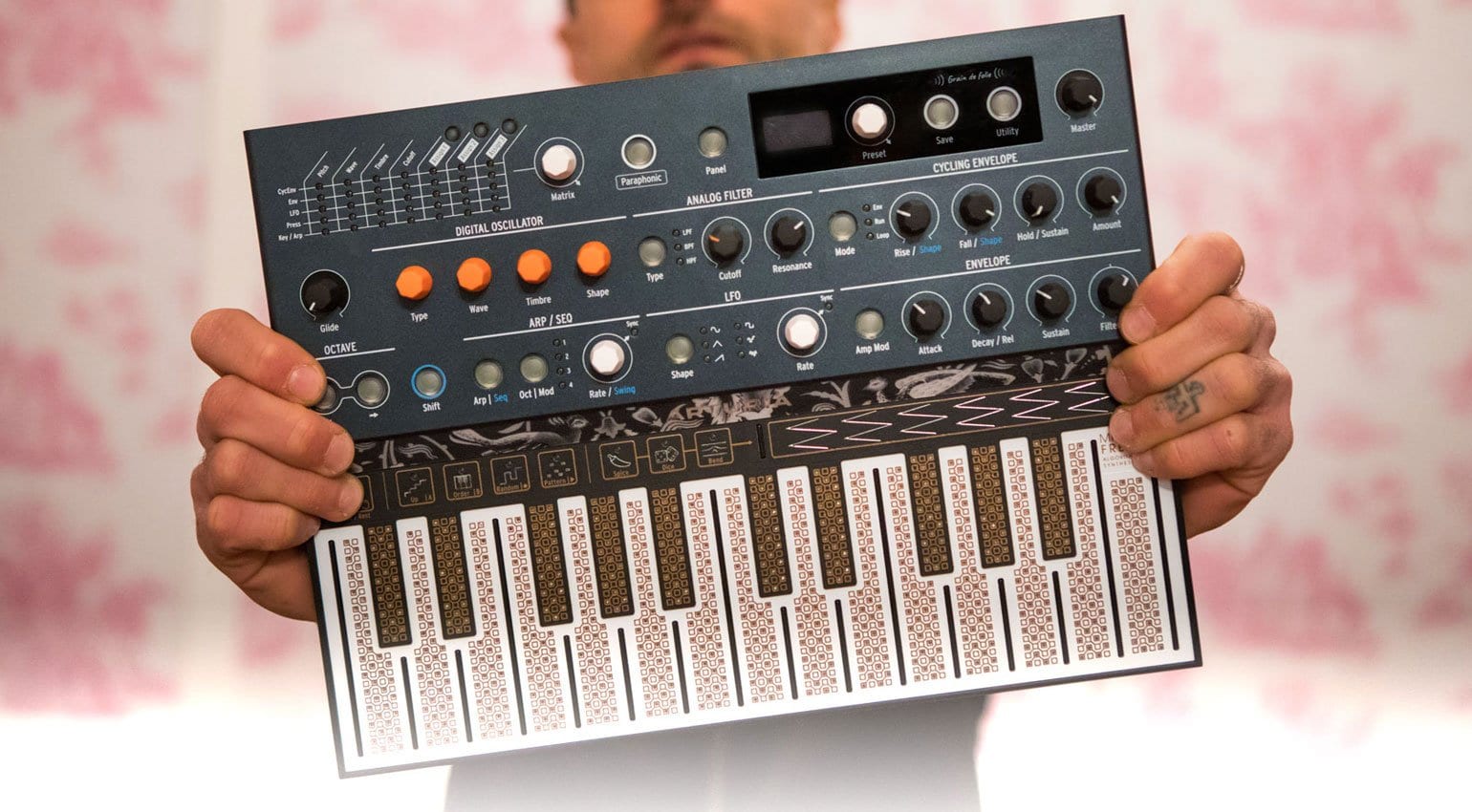
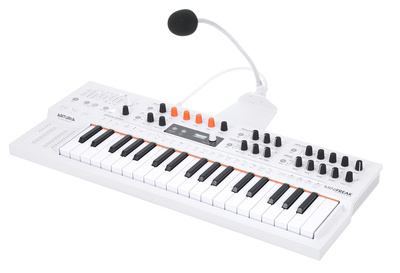
To understand where we are going, we must know where we have been, so with that in mind, let’s remind ourselves where all the freakiness began, back in 2019 with the MicroFreak. Just like they did with the MiniBrute, Arturia built something that was both affordable and inspiring. They created a hybrid, paraphonic architecture and gave it a bunch of flexibility and scope for sonic experimentation with a cool, polyAT, touch-sensitive keybed. Arturia even introduced a vocoder in a subsequent update!
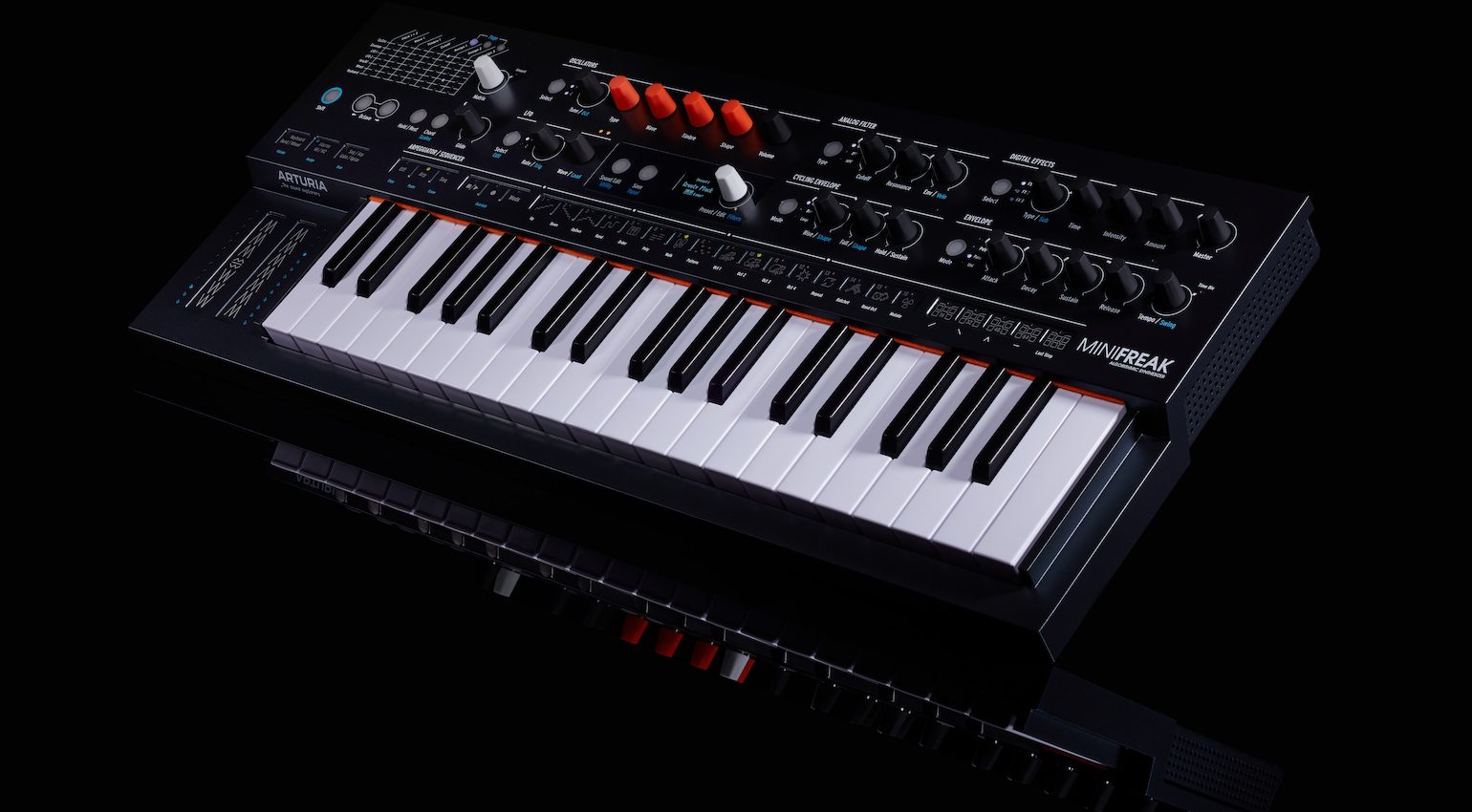
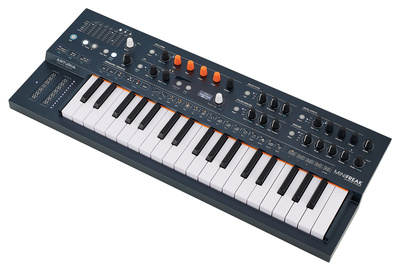
Three years later, Arturia took the MicroFreak concept and both expanded and enhanced it in the form of the MiniFreak. Now we had proper keys, albeit slim ones, an expanded user interface and synthesis engine, six voices of polyphony, digital FX and a sound that truly defied its diminutive physicality. Combining the two synth engines, each with more oscillators, and passing them through the raucous filter section delivered a powerful sound. And using the expanded performance arpeggiator, the MiniFreak lent itself to both stage and studio in equal measure.
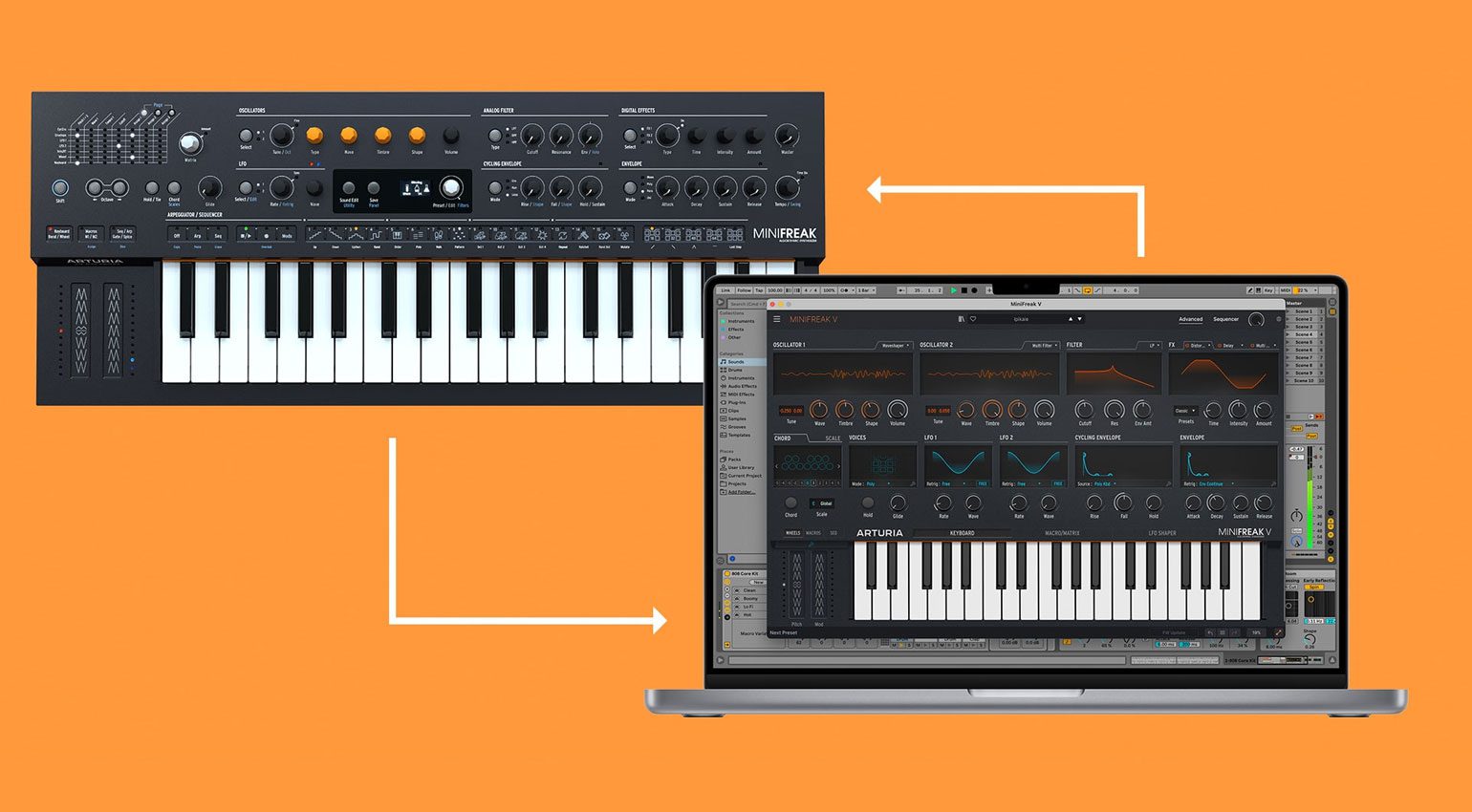
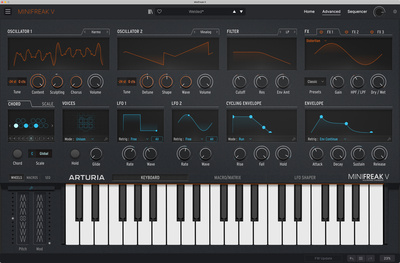
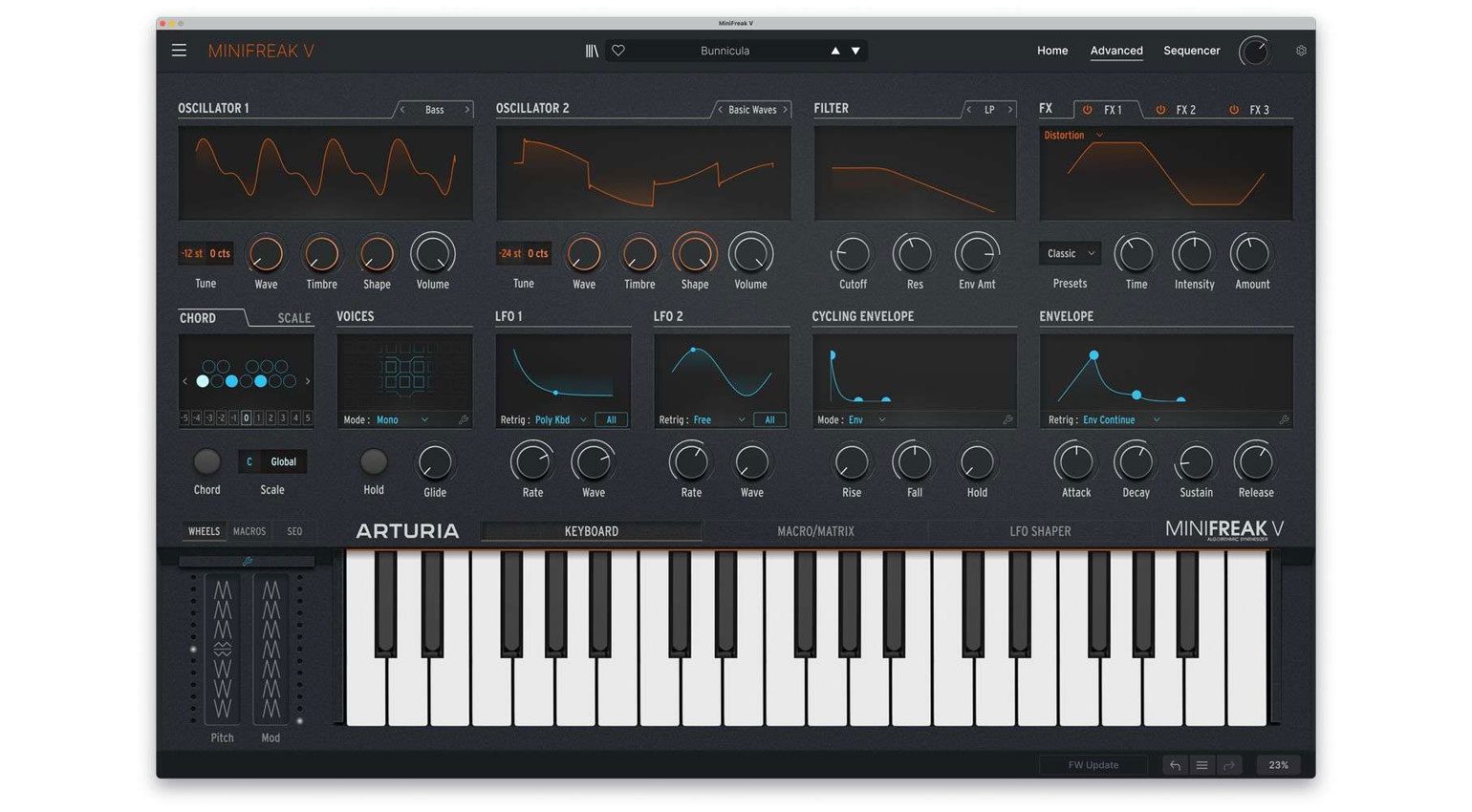
One of the biggest differences with the MiniFreak was the accompanying MiniFreak V plugin. This 1:1 software recreation was both a full plugin replacement for the hardware and an editor/librarian for it, too. It goes without saying that the plugin used digital filters, not the analogue ones present in the hardware, but if anyone is going to be able to create perfect digital recreations of their own hardware filters, it’s Arturia.
So many of us began speculating about what might be next for the Freak range. Many wish lists were made, many features were speculated upon, and some of us, myself included, even started speculating on what the next Freak synth might be called! Would it be MaxiFreak? MegaFreak? SuperFreak!! But the danger of speculating too hard is that when the time comes, if it indeed comes at all, we might be somewhat disappointed that we didn’t manage our expectations.
Now, of course, you’ve probably read the announcement email, or seen any of the inevitable flood of zero hour videos from the wonderful world of SynthTubers, and will have seen where we are about to go. And whilst I have to say that when I first encountered the new member of the Freak family almost six months ago, I was impressed but left feeling a little disappointed, I have grown to appreciate what has been done, but I know that there will be some backlash from certain corners of the internet!
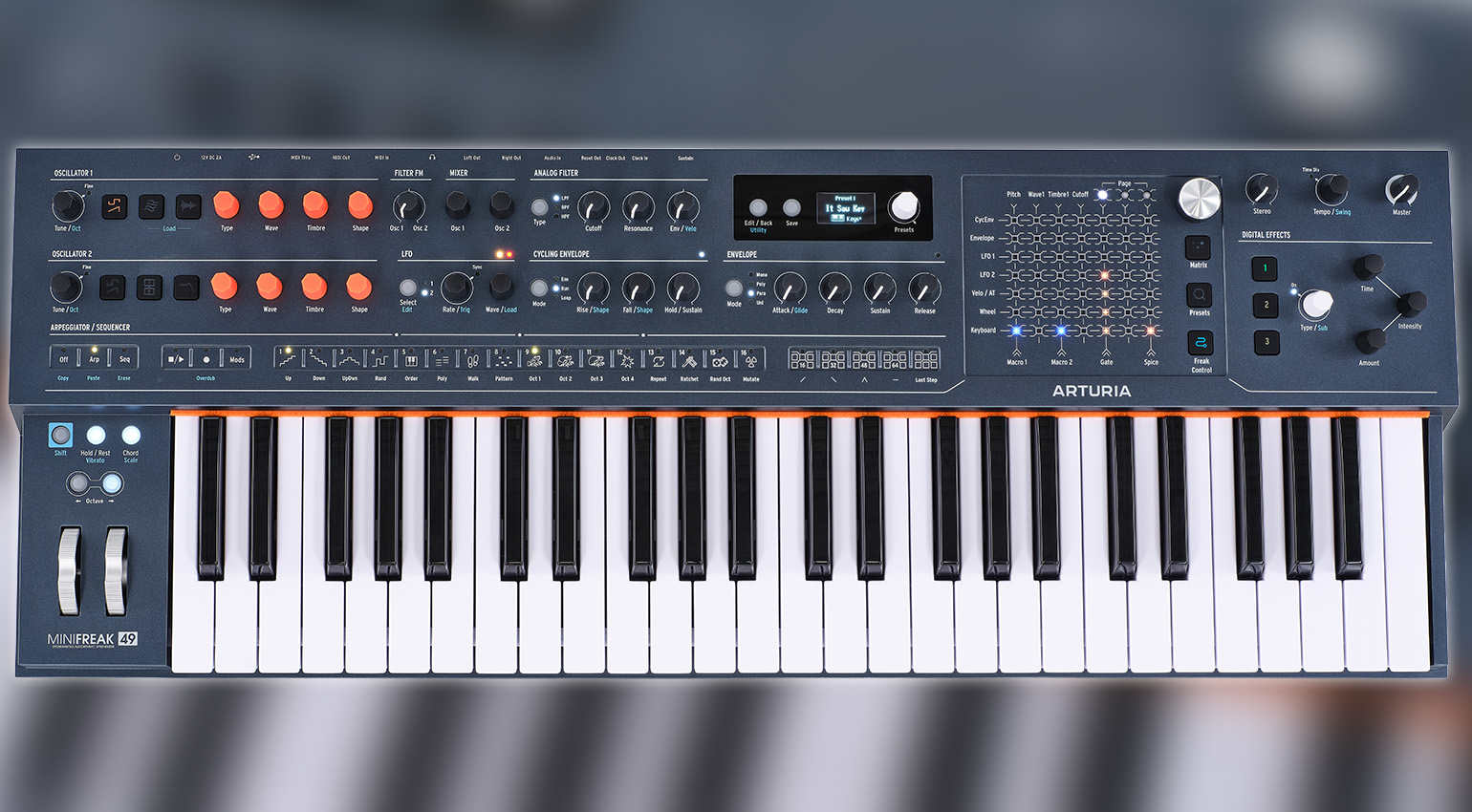
The MiniFreak 49
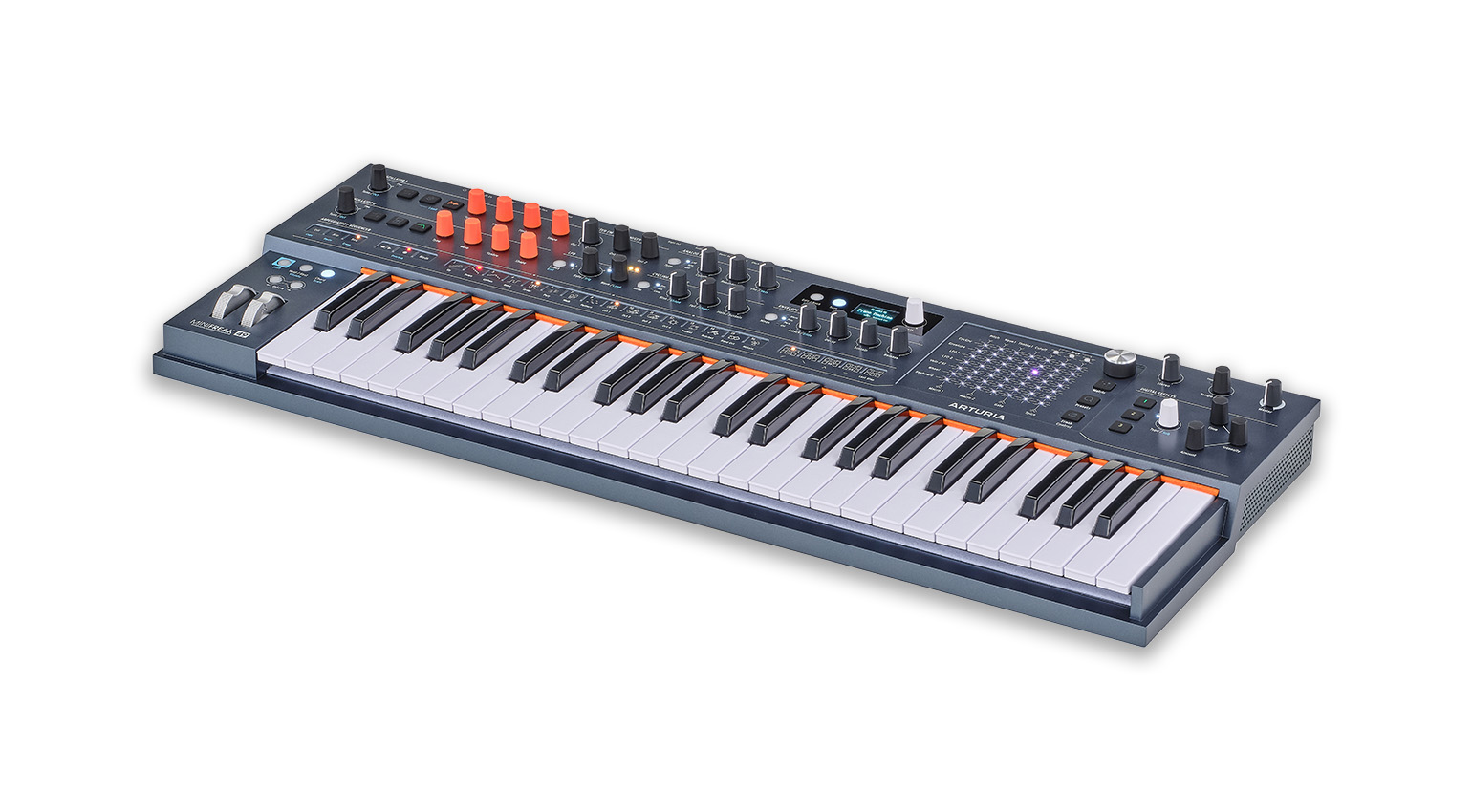
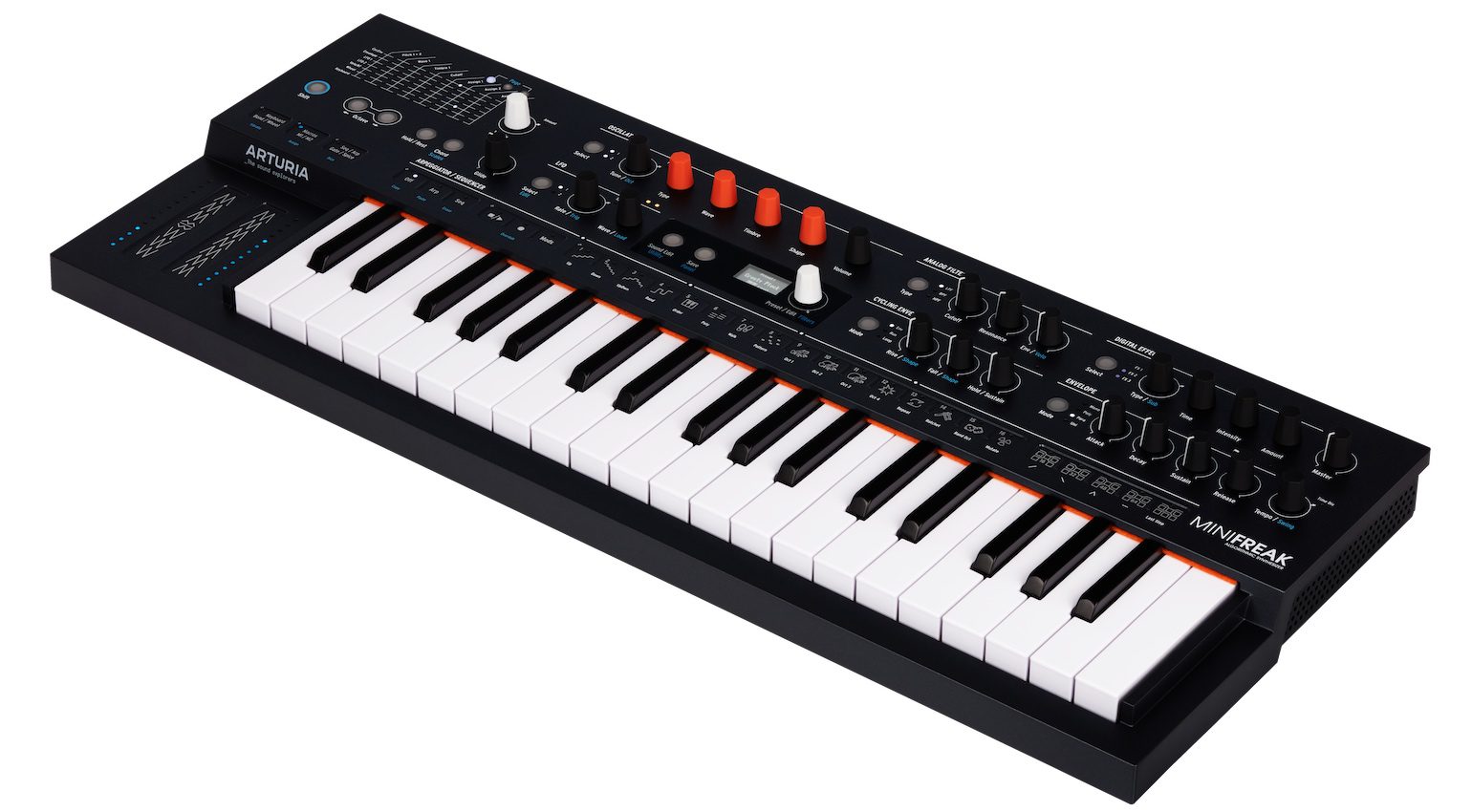
Let’s get one thing straight from the outset. This is the MiniFreak 49. Not a Maxi/Mega/Super/Whatever. The very fact that this is called the MiniFreak 49 tells you straight away that this is not a completely new synth, nor is it a greater interpretation of the Freak concept, as the original MiniFreak was over the MicroFreak. What the MiniFreak 49 is is a MiniFreak with a bunch of the key features receiving dedicated controls, bigger keys and the addition of a new touch-based control.
That is going to disappoint some people, so I wanted to get that out of the way first. This is a supersized MiniFreak that delivers all of the MiniFreak goodness but lets you control it better, gives you a great performance and programming experience and still sounds way bigger than its price would suggest. It is still a powerful and versatile instrument and maybe represents a positive sidestep rather than a brave new direction.
What’s New?
With all that said, MiniFreak 49 does bring new ideas to the table and one in particular that significantly improves one’s MiniFreak experience. So let’s get the obvious ones out of the way first. We now have 49 full-size keys that respond to velocity and channel aftertouch. Of course, it is a shame that they don’t spit out polyphonic aftertouch, but at least the engine responds to it.
One of the few annoying things about the original MiniFreak was how it relied on switching between oscillators, as both of them relied on the same controls. The MiniFreak 49 now gives us independent control over both, each with its own set of controls and direct load buttons on oscillator 1 for samples and wavetables. The same benefit has been similarly applied to the FX section, although you still have to choose which effect you want to manipulate first.
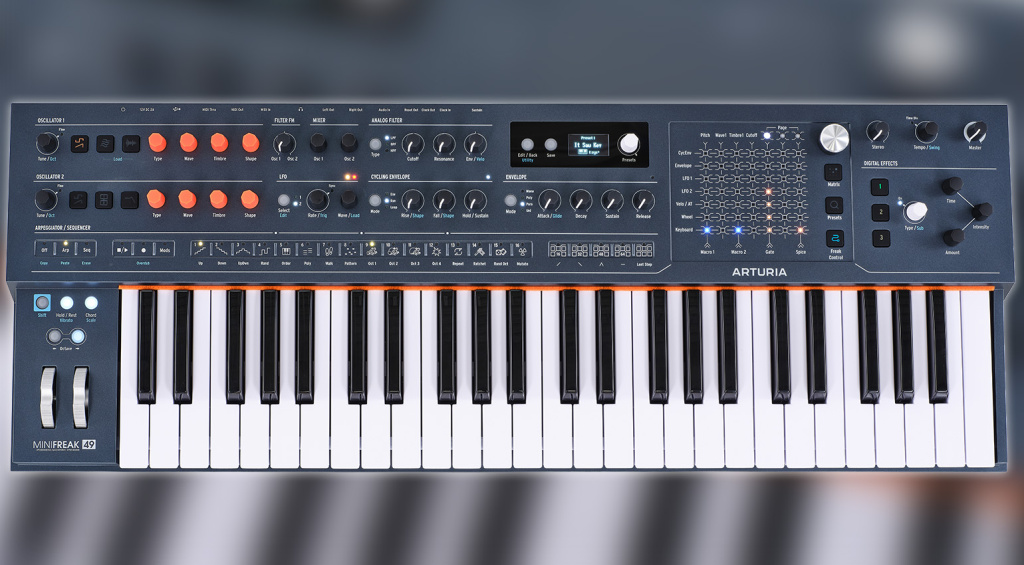
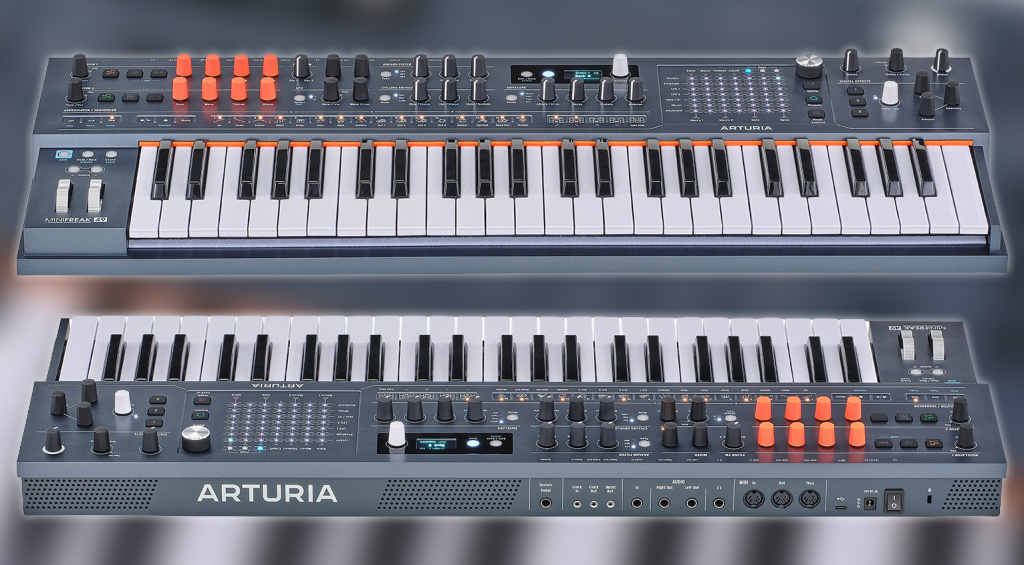
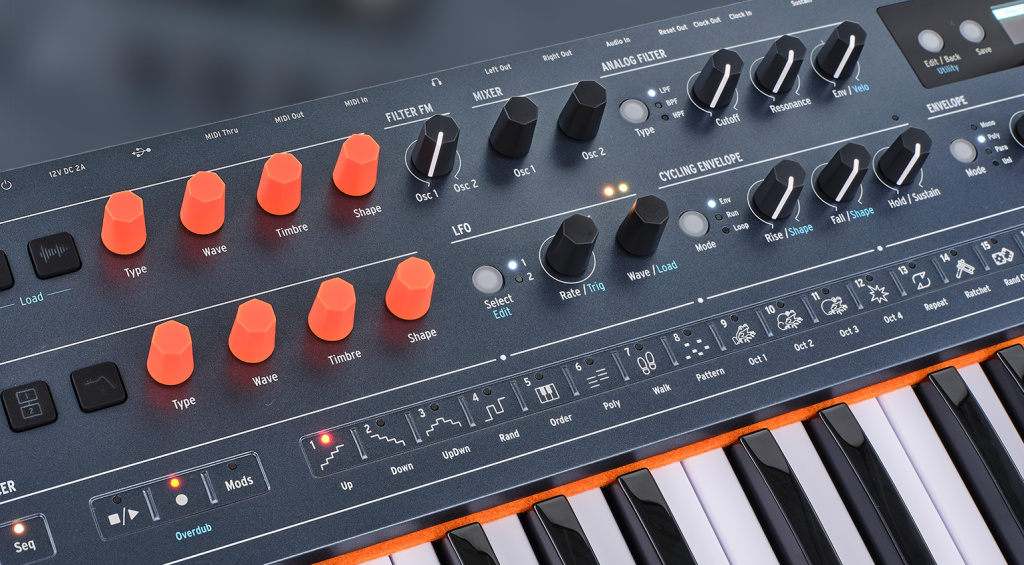
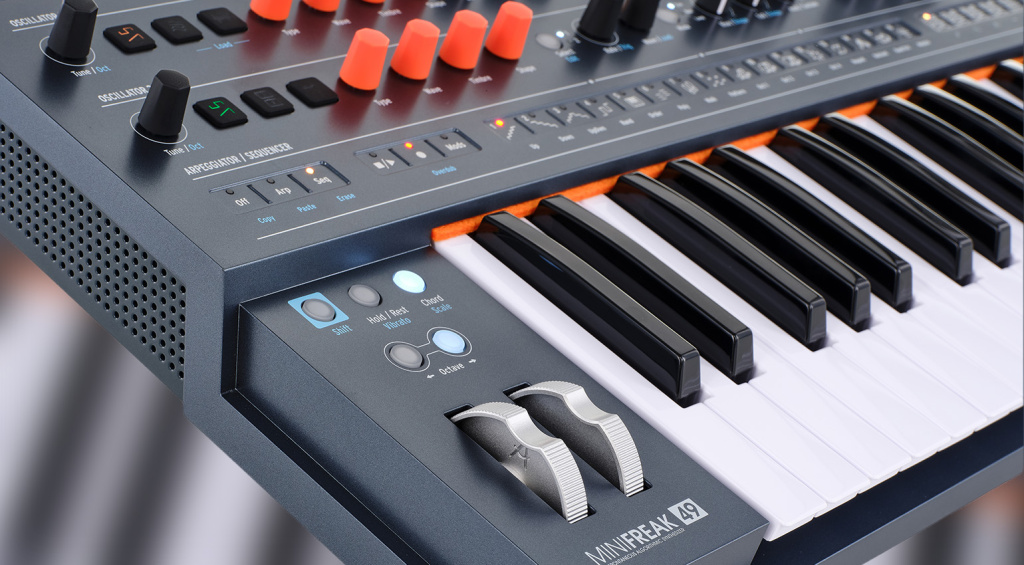
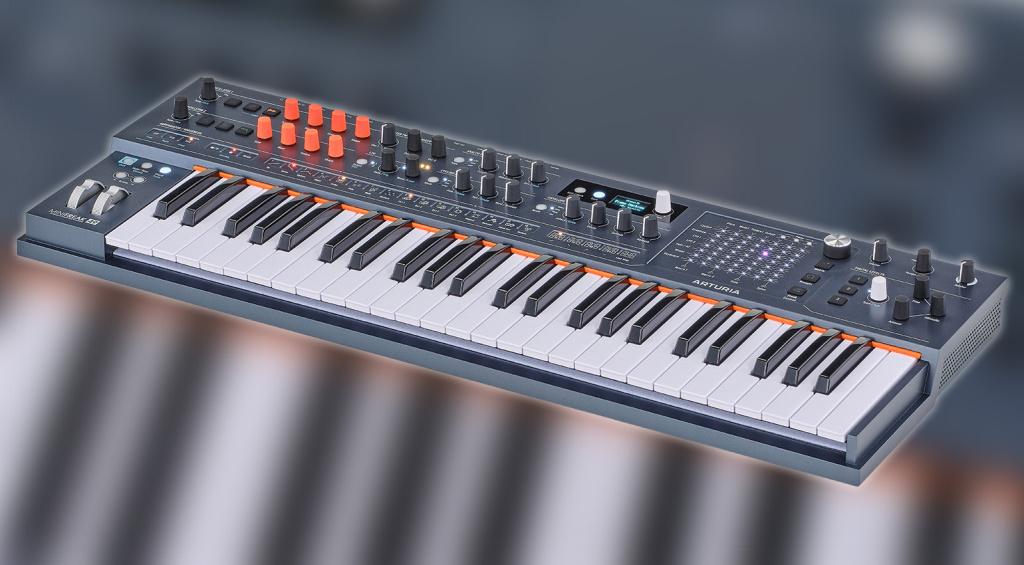
The USB port has been changed from a Type B to a Type C, which I know will annoy some people, as Type B is often viewed as a sturdier connection, but it is inevitable that we will see a continued shift towards Type C as time goes by. Around the back, everything is the same, aside from the aforementioned USB port. It is also worth noting that the bright orange keyboard felt is retained, along with a new felt strip under the keys. The pitch bend and mod strips are now aluminium wheels.
There have also been some additional changes on the top panel, not least the addition of a dedicated Filter FM control and a Stereo spread control, too. However, the dedicated Glide control on the original Mini has now been paired with the Attack control in the Envelope section. To access the Glide control, you will need to hold Shift down and then turn that knob. I personally am not a fan of this as I am rather fond of adjusting glide on the fly to give arpeggiations a more organic feel.
The XYZ Touch Control
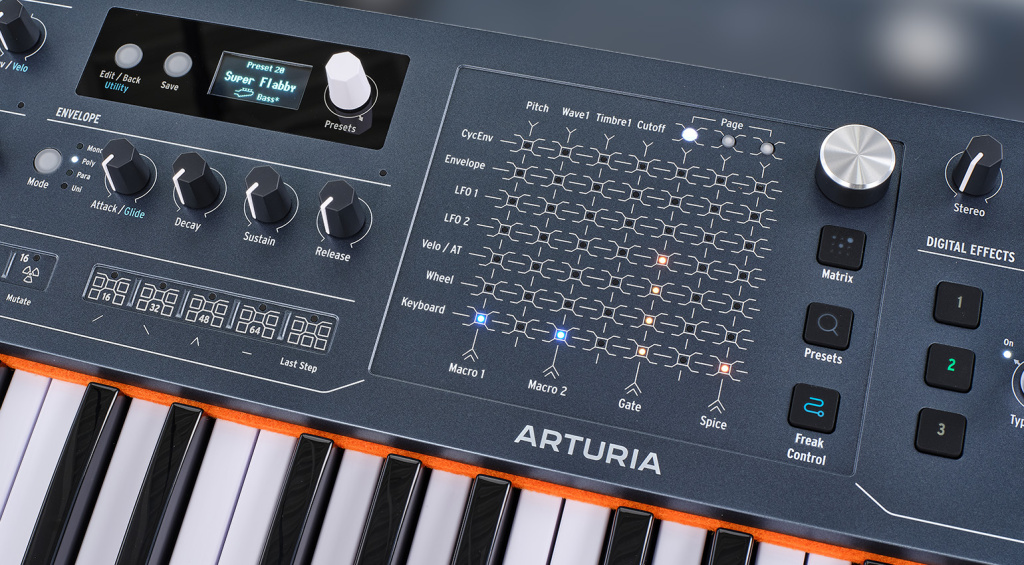
The headline new feature in the MiniFreak 49 is the XYZ Touch Control. It’s probably the first thing your eye is drawn to and is already drawing some positive and negative comments. So what is it, and what does it do? The top X-axis and Y-axis replicate the functions of the original, but now there is a lower X-axis that includes Macro 1 & 2, Gate and Spice.
As mentioned previously, the pitch bend and mod strips of the original MiniFreak have been replaced by proper aluminium wheels. Those strips had three functions, selectable by buttons above them. These functions are now directly accessible via the MiniFreak 49’s XYZ pad. For me, this is a very welcome improvement. Remember the small modulation matrix top left of the MiniFreak? Well, that’s now been incorporated into the XYZ pad, and it makes perfect sense to do that.
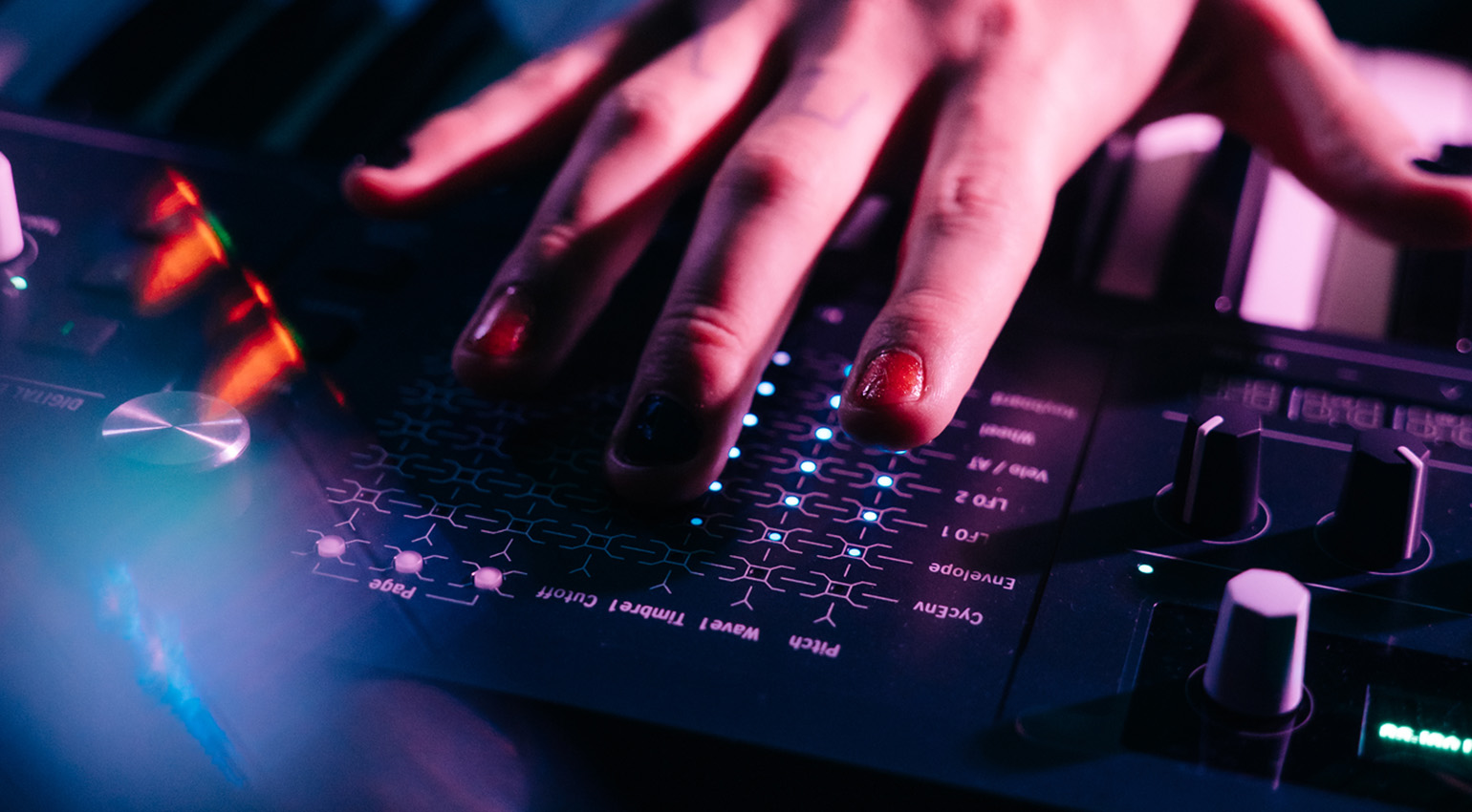
To access the three main functions of the XYZ pad, there are three dedicated buttons for the Matrix, Presets and Freak Control. The Matrix button is pretty obvious, but what’s this Presets button for? Well, Arturia have designed this to be a more intuitive way of flicking through the 512 preset slots (350 Factory, 162 User). Pages of presets can be chosen, and then presets selected by touching the points on the matrix. You can swipe between pages too and using the large silver knob, you can move between preset types or your favourites.
But the real fun lies behind the Freak Control feature. Selecting this mode opens up a world of sonic exploration. Firstly, this is where the two assignable macros now live, after being moved from the pitch bend and mod controls. The other controls associated with the pitch bend and mod on the original are now also in Freak Control. These four controls sit under the Macros layout.
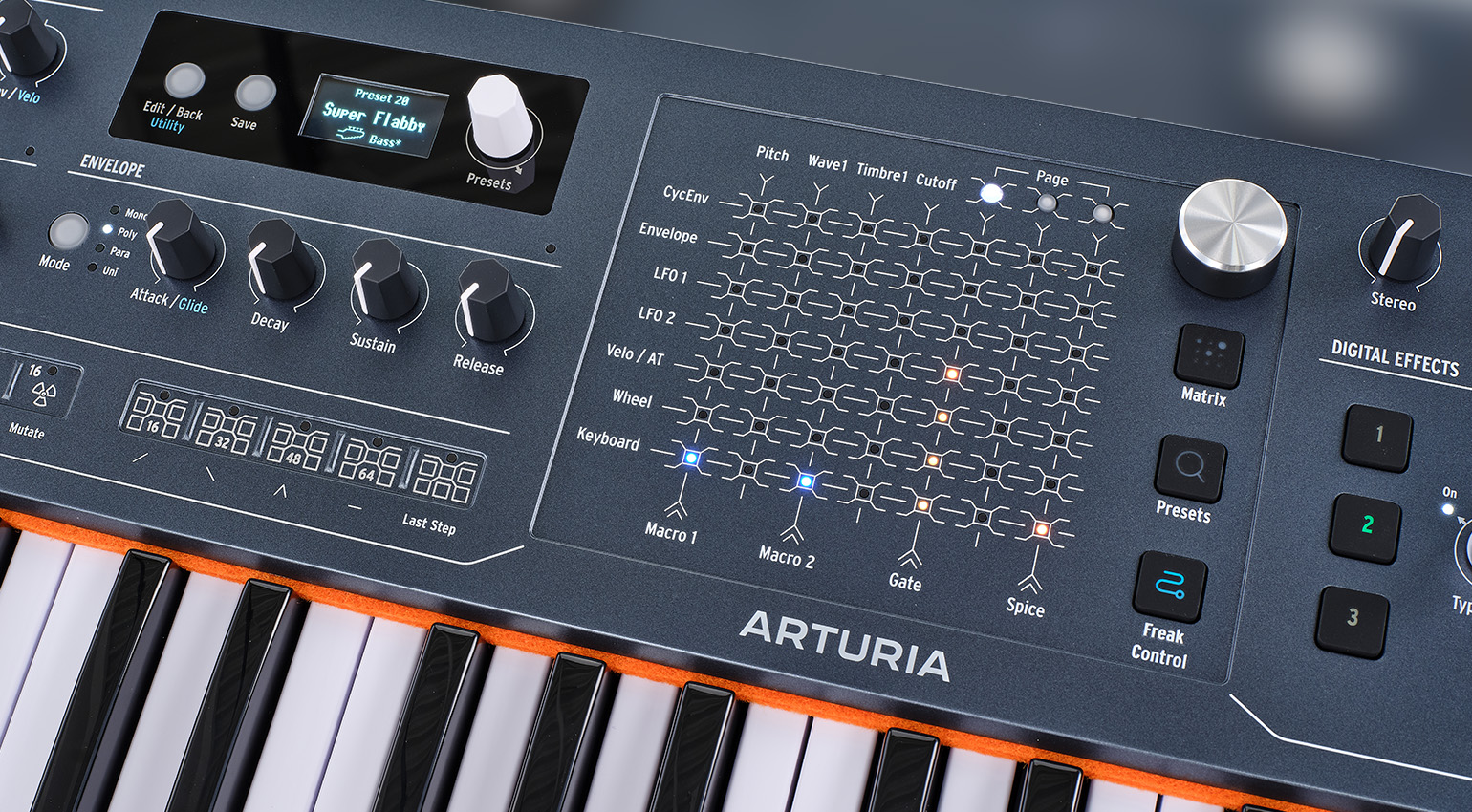
Using the silver knob, you can also switch between four further modes that deliver unique ways of shaping your sound:
- Time Stretch – Affect motions within the patch, lengthening or shortening the sound
- Filter Freak – Control cutoff, resonance and filter FM in a single gesture
- Timbre Shape – Reshapes the oscillator engines at source
- FX Mix – Allows you to balance the three FX slots live
When you’ve found your sweet spot, pressing the Freak Control button changes its colour from blue to yellow and latches your selection. And one more thing… You can draw your own custom LFO waveforms directly on the pad! Pretty cool stuff.
This will be where you spend most of your time after unboxing your MiniFreak 49, and with very good reason. And have you noticed how it continues a design trend established by the MatrixBrute and PolyBrutes? I guess if you have something that works well, you may as well use it elsewhere! It’s a nice family design touch, and given how well the touch version of the matrix works, might we see it in the Brute range at some point in the future?
MiniFreak V
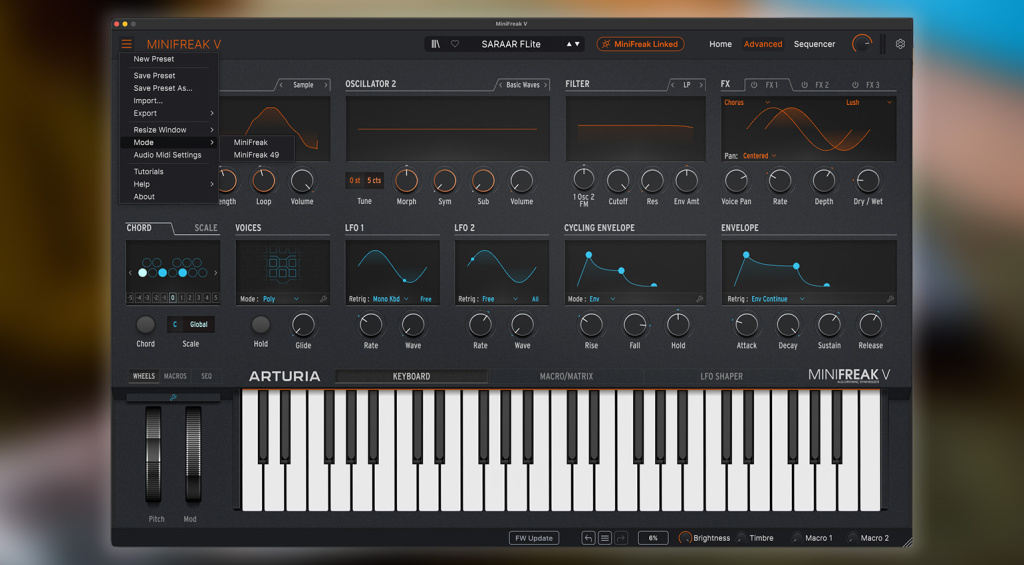
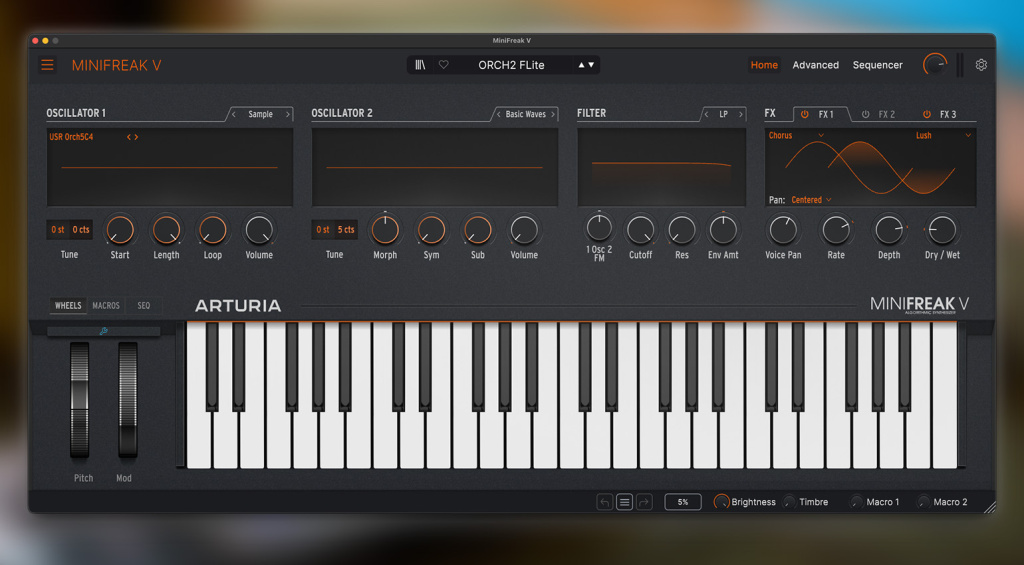
As for MiniFreak V, just like before, owners of the hardware will be entitled to a free copy of the plugin/editor/librarian tool. However, to unlock the slightly different and expanded MiniFreak 49 view, a hardware version of the 49 is required. Existing MiniFreak users will not see the option to select the 49’s layout mode. But other than that, it’s business as usual with superb functionality between the hardware and software for the absolute best of both worlds.
Is Bigger Better? Final Thoughts…
Ah, the perennial question. In the case of the MiniFreak 49, it is less easy to determine the answer. As I said earlier, the MiniFreak 49 is not the leap that the original was over its MicroFreak predecessor. It’s the same engine with a few bolted-on extras, an improved user interface and the inclusion of the XYZ Touch Control. If you feel that the original MiniFreak completely suits your needs and have never wanted the expanded control surface or the potential of some unique touch-based control, you may well decide to stick with what you’ve got.
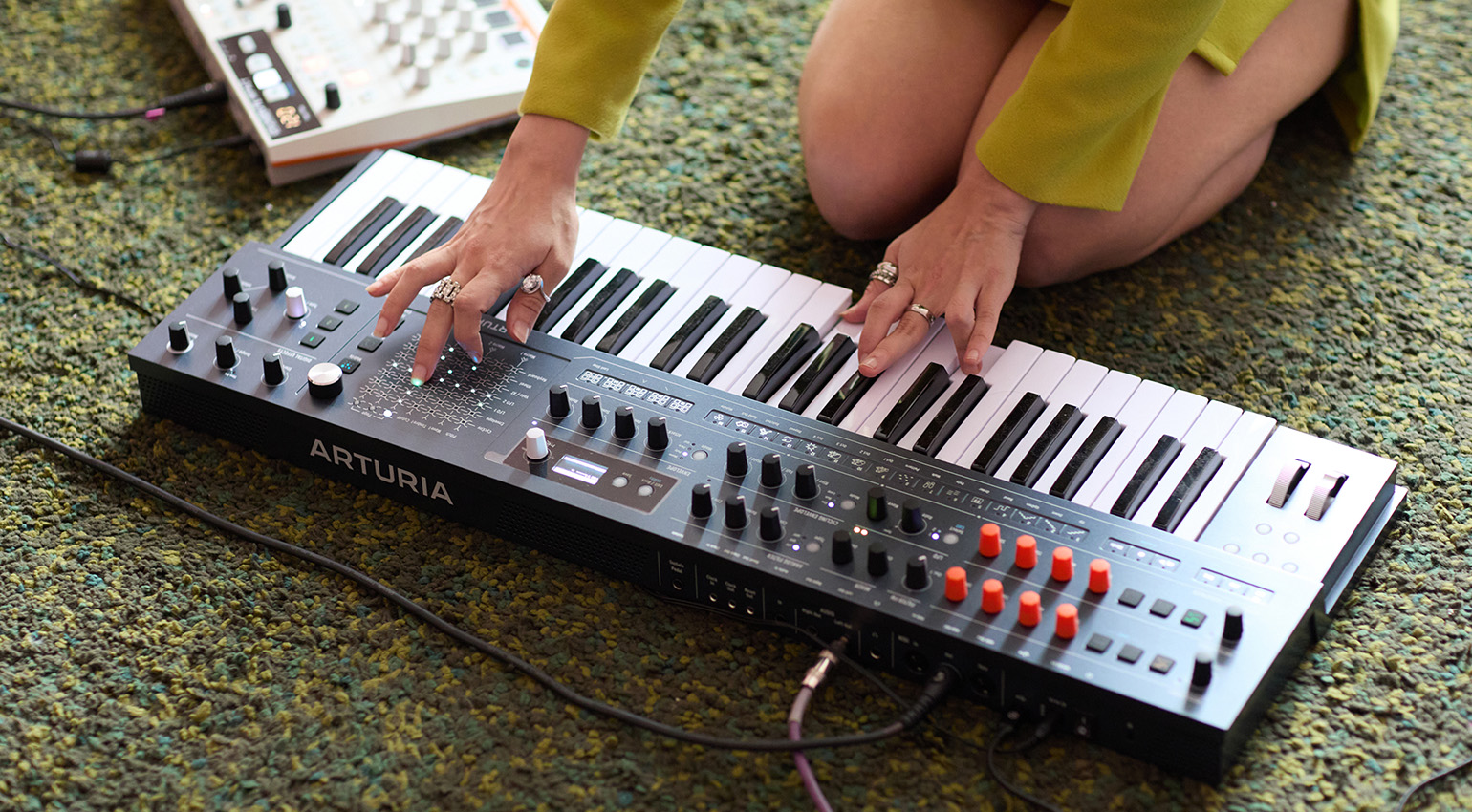
On the other hand, if you had an aversion to slim keys, or felt that the UI of the original was a little too compact or lacking in expressive control, then the MiniFreak 49 could well be what you’ve been waiting for. At least now, new users have a choice, and that’s always a good thing. Is there around €300 worth of difference between the original and the 49? I’d say there is, but only just.
As a huge MiniFreak fan, it has been a lot of fun playing with the MiniFreak 49. It’s incredibly familiar to use, and the improvements and expansion in the main are worthwhile. If I didn’t have the original, the MiniFreak 49 would be the one I’d go for, without doubt. Everything that makes the original brilliant is here on the 49, including the newly added ability to upload your own samples and wavetables. It’s a stunning synth architecture, and the 49 just gives you a bit more to play with.

There will be some moans and groans from people who wanted Arturia to deliver a more powerful Freak synth, and when you look at it from that perspective, the MiniFreak 49 may seem like a missed opportunity, but I don’t feel that it makes the 49 a pointless exercise. As usual, the MiniFreak 49 is another exemplary synthesizer design from a company that listens to its users and delivers something that nobody else is doing, at an unbelievable price point and with such innovation and quality.
Pros and Cons
Pros
- The XYZ Touch Control is both powerful and fun
- The separate oscillator controls are very welcome
- The ability to draw your own LFO waves is cool
- It still sounds about £1,000 more expensive than it is!
Cons
- Not vastly different from the original
- The Glide control is no longer an independent knob
- The larger screen isn’t that much larger
Price and Availability
The Arturia MiniFreak 49 is available now for €789.00 and comes with a free download of the MiniFreak V plugin.



*Note: This article contains advertising links that help us pay for this site. Don’t worry: the price for you will always be the same! If you buy something through these links, we will receive a small commission. Thank you for your support!
The post Arturia MiniFreak 49: Is Bigger Better? – Review appeared first on gearnews.com.